
To down load any high quality image from AFA:
-
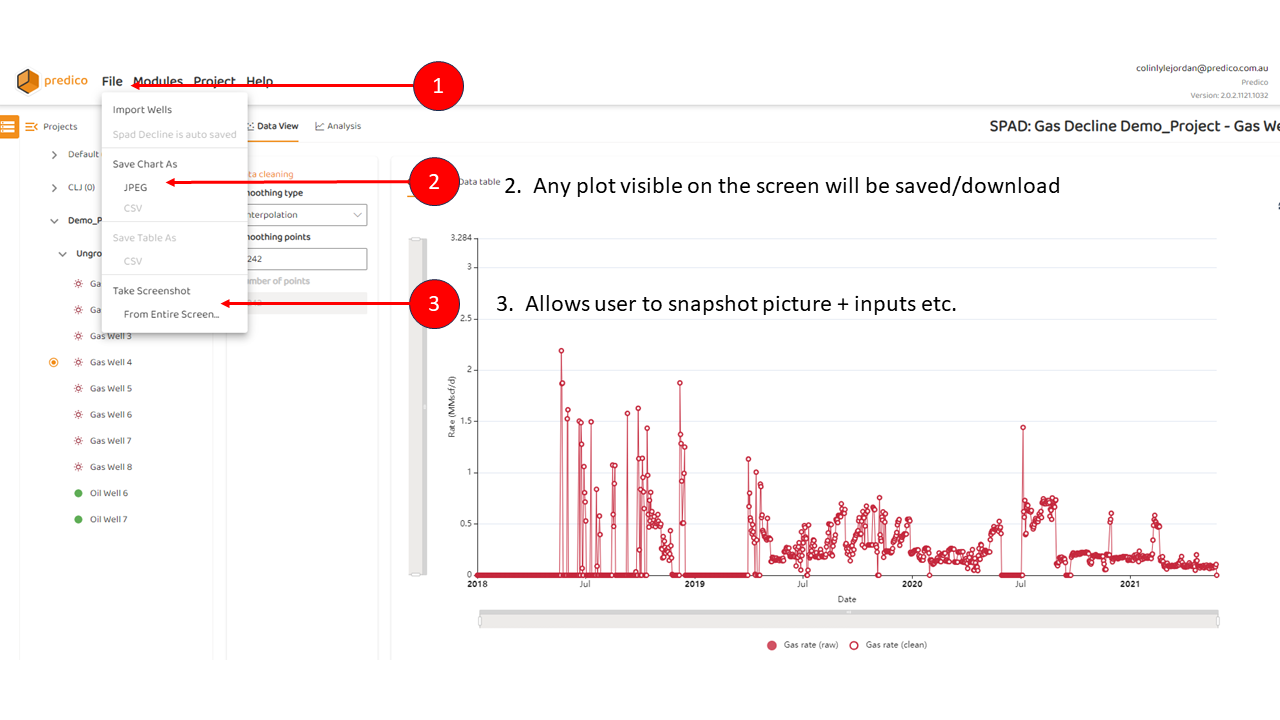
Click “File“ from the main menu
-
Choose “Save Chart As“, or
-
“Take Screen Shot…”
Note, these options are only available if a plot is being viewed.
To down load any high quality image from AFA:
Click “File“ from the main menu
Choose “Save Chart As“, or
“Take Screen Shot…”
Note, these options are only available if a plot is being viewed.