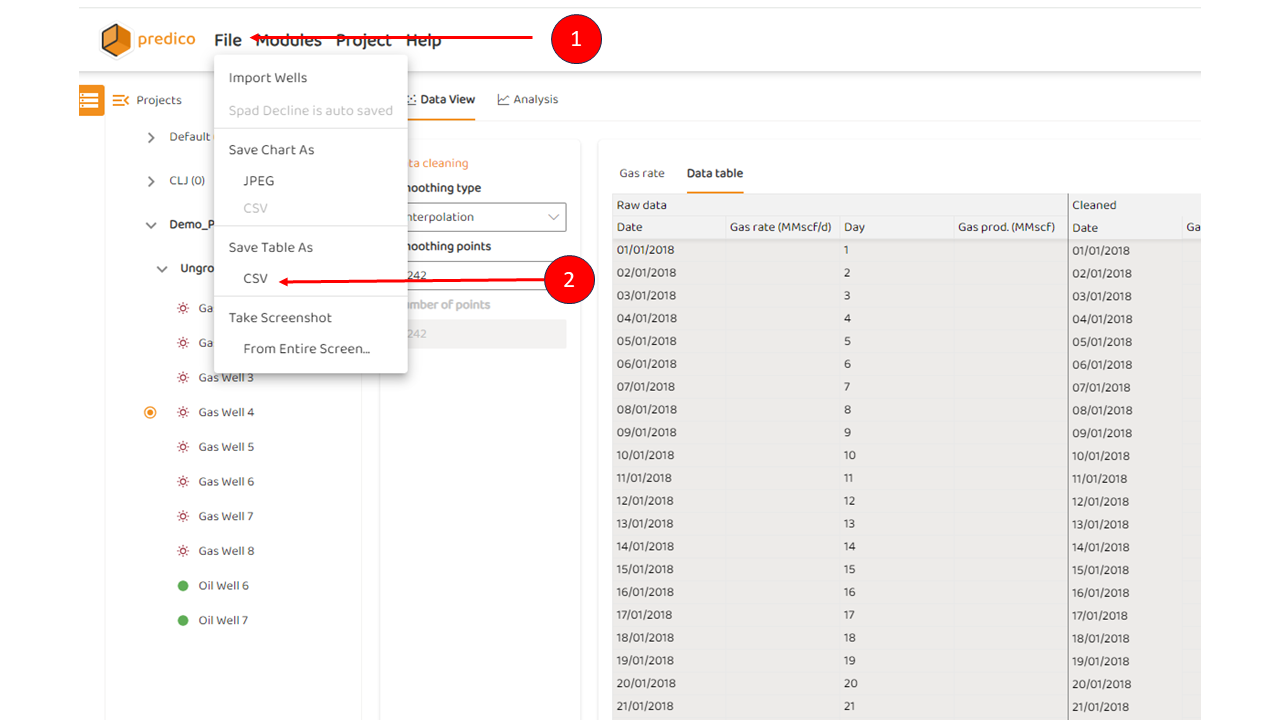
To down load any high quality image from AFA:
-
Click “File“ from the main menu
-
Choose “Save Table As“,
-
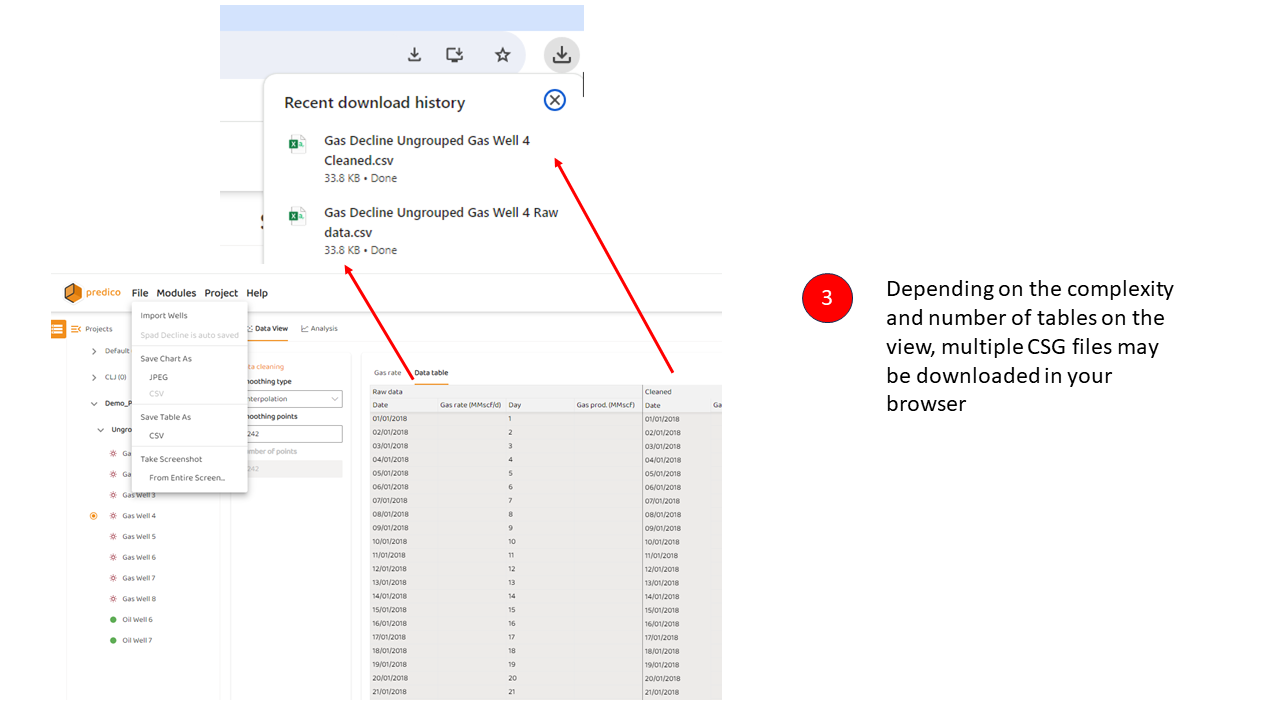
In some cases more than one Table (I.e. multiple csv files) may be downloaded
Note, these options are only available if a table is being viewed.