
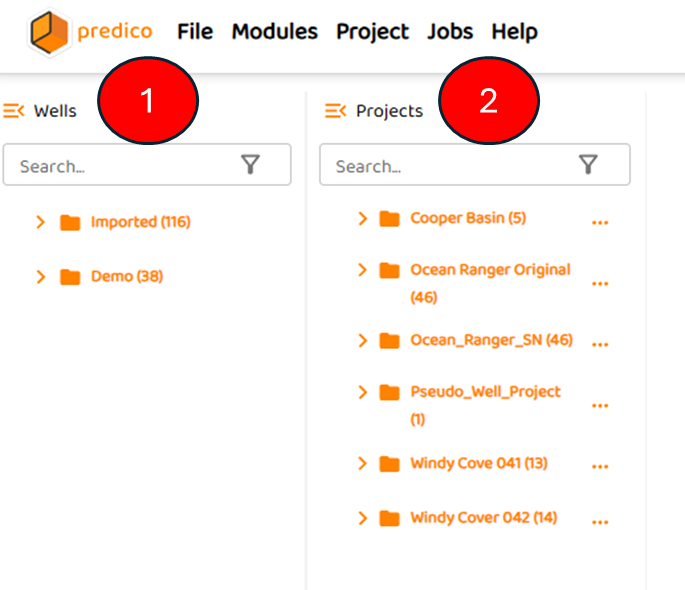
Upon logging into AFA, the user will see the basic GUI as shown below:
The two navigation panes to the “left” allow the user to see
-
“Wells“ is the master well list, and contains all wells imported as well as all wells within a companies data hub.
-
“Projects“ are the projects created by the user before any analysis can be done
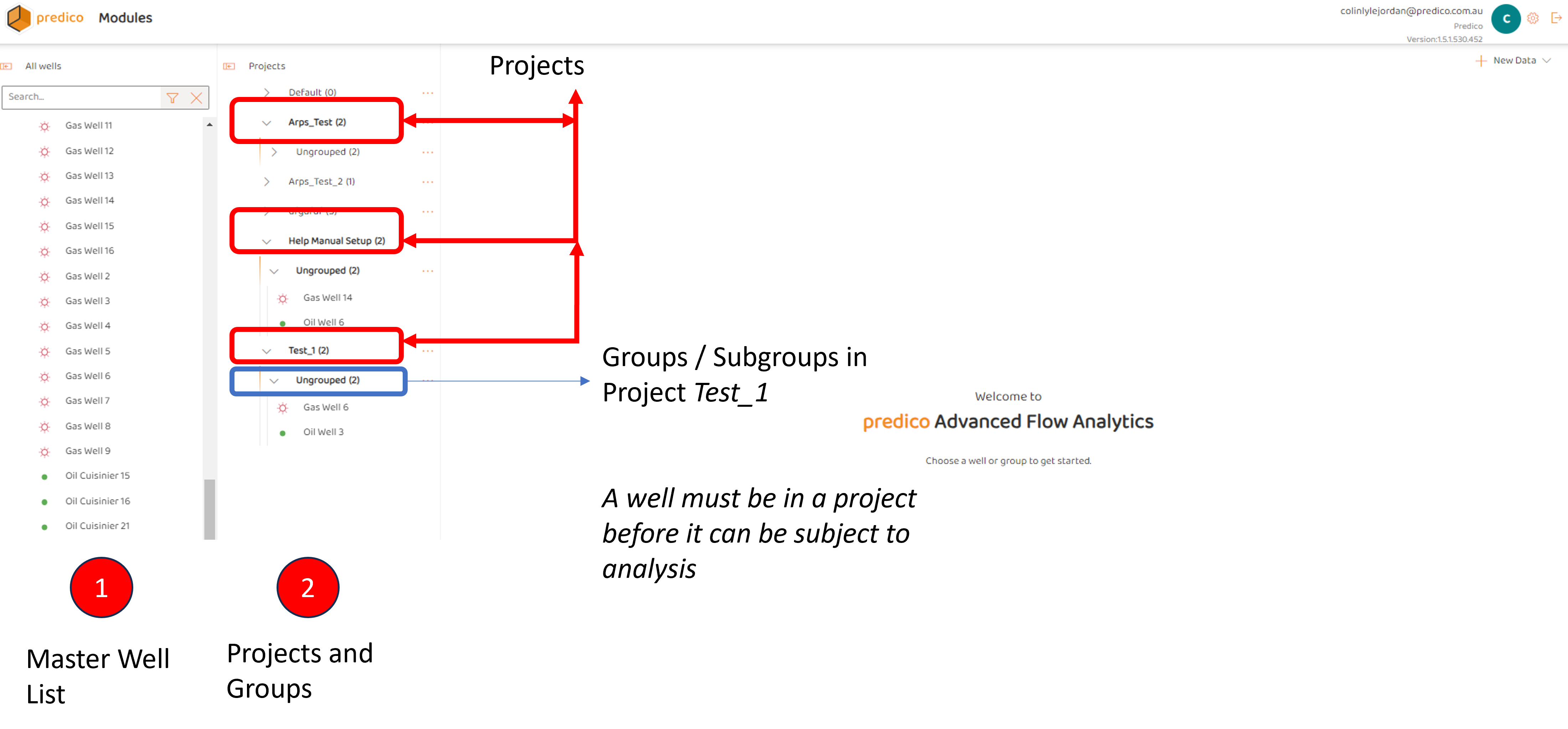
Assuming a master list exists, and some projects and groups do exist (if not, refer to Create a Project and Create a Group in a Project ), the user can click open one or both of the navigation panes and see the following:
-
The Master list shows all wells in the data connection. This well list can be searched by well name.
-
Projects and any existing subgroups.
Note, until a user selects, or clicks a well, the AFA Module Grid does not appear.
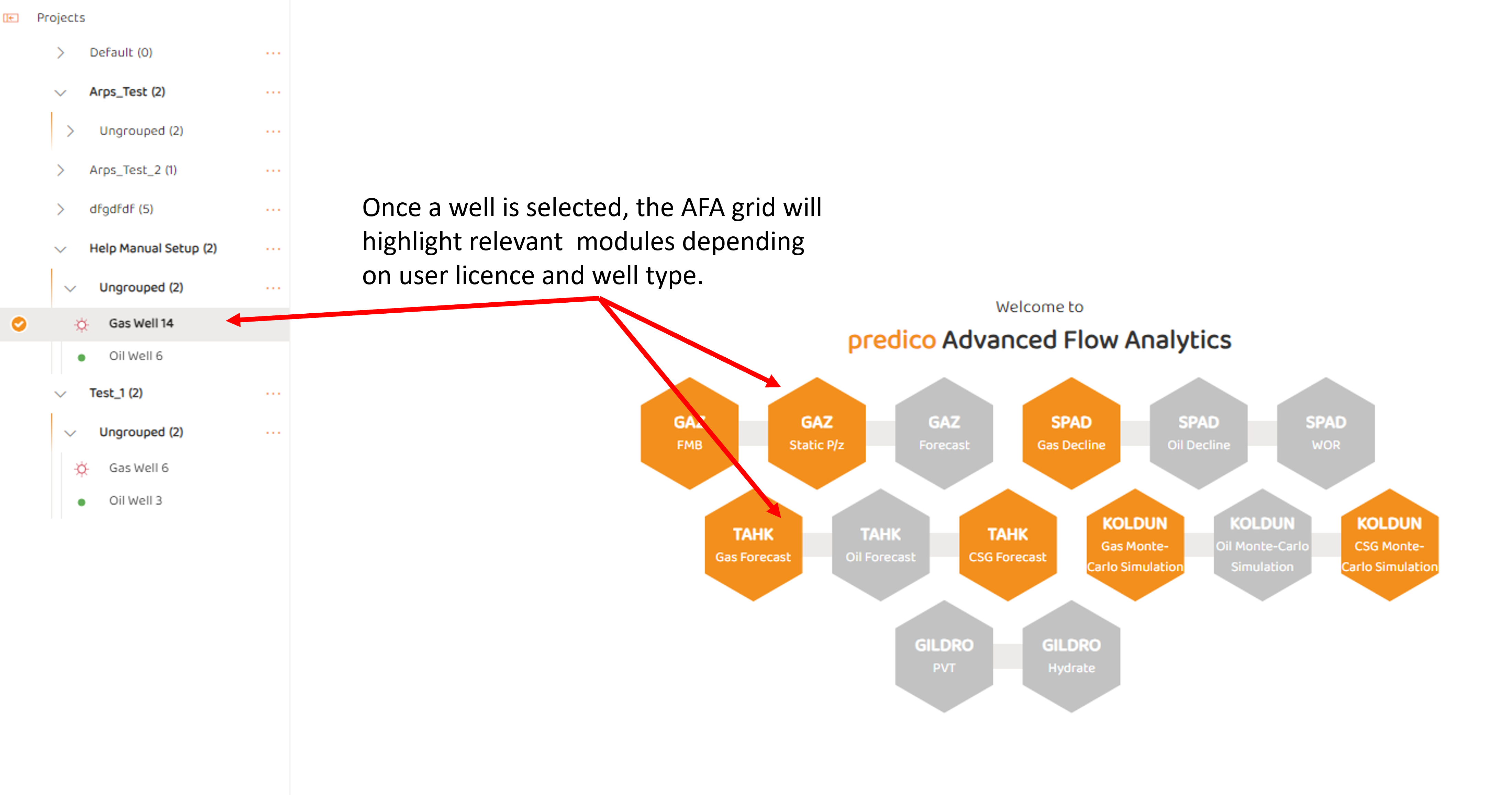
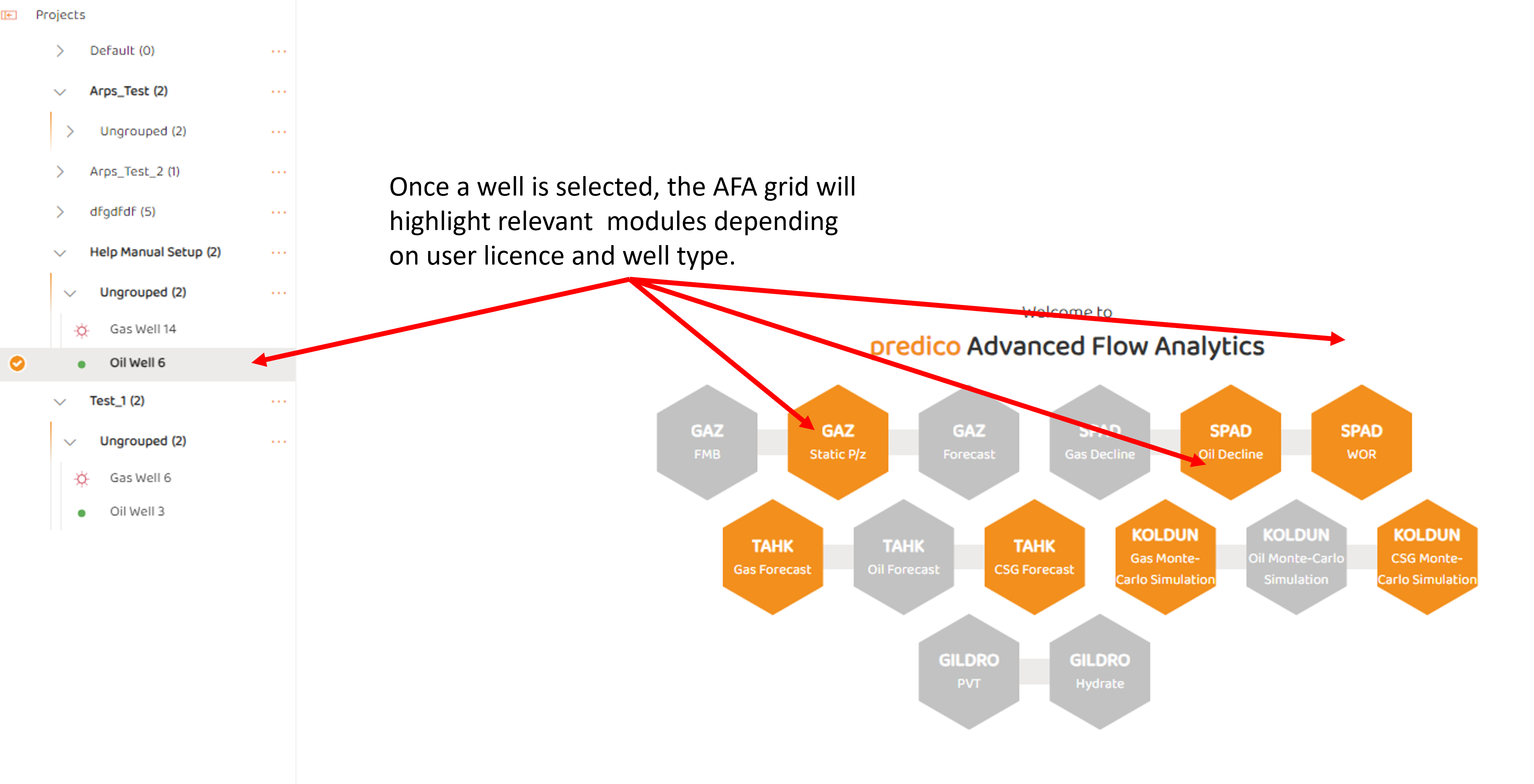
Once a well is select, various modules will highlight depending on user licence agreement with Predico, as well as well Type. For gas wells, the following modules may appear (although some models are not necessary tied to well type and may show up for both oil and/or gas). Certain modules likes TAHK or KOLDUN can be run without a specific fluid or well type.
See Also:
Coming Soon!