
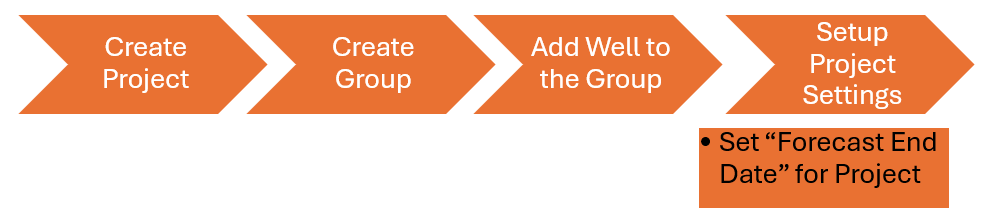
All types of analyses or simulation need (Mandatory) the following:
-
Setup Project Settings.
AFA requires at least 1 Project and 1 Group to perform any analyses or simulation
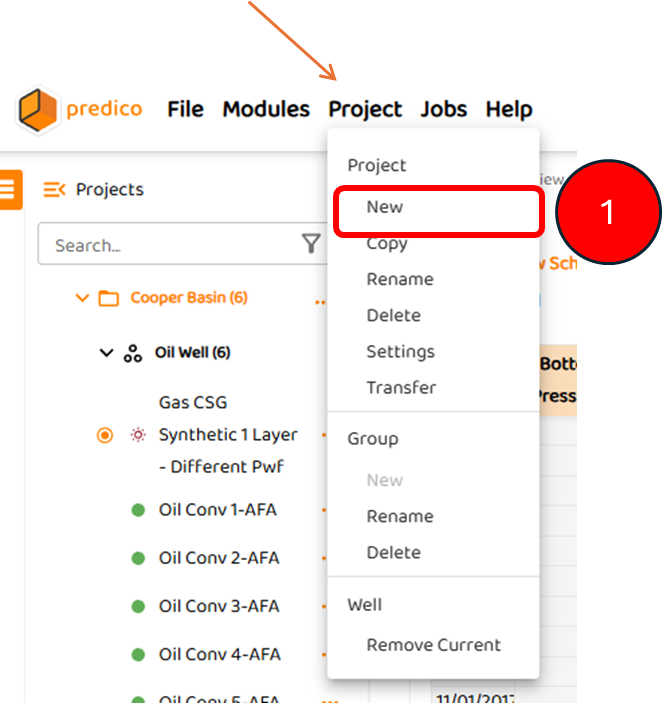
STEP:1 To create a new project in AFA, the user must:
1. Click “Project” from the Main Menu, and select “New Project“
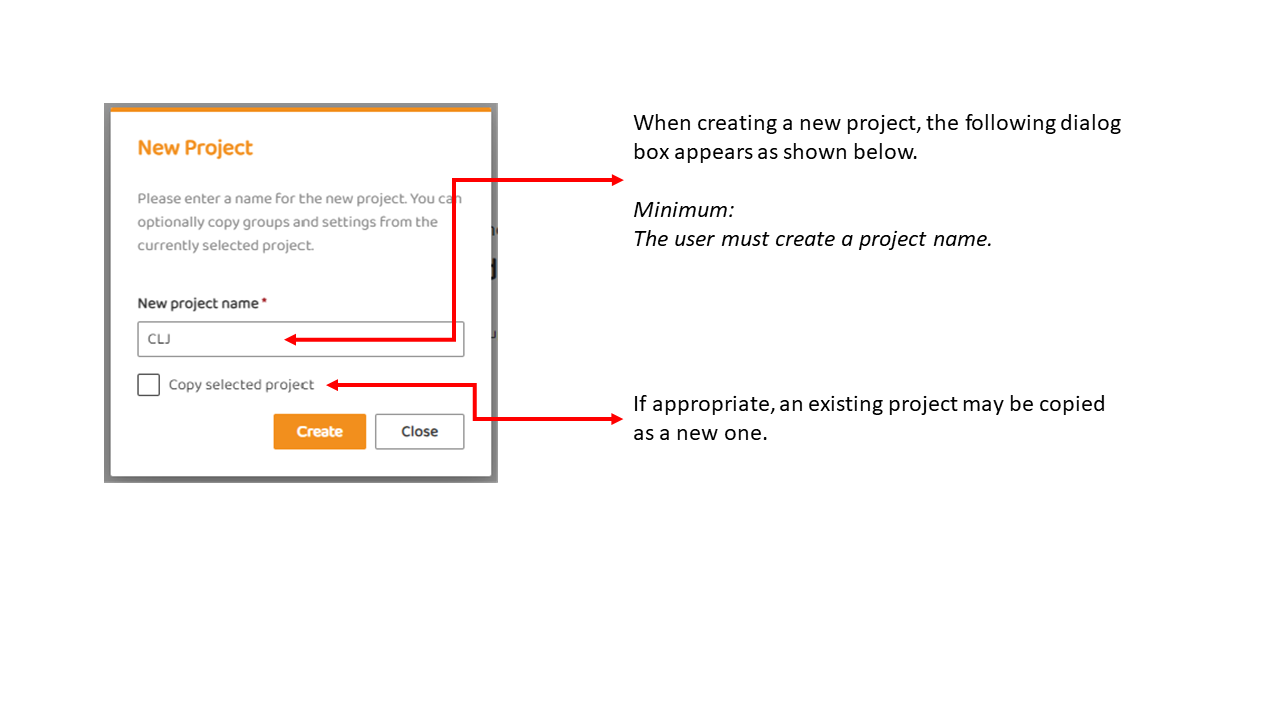
STEP 2: Provide New Project Name
The user will be prompted to provide a name for the project. In this example, a project name of “CLJ“ will be used. As shown, a user may also copy an existing project.
STEP 3: The Project Appears in the Project List
The new project is added to the project list in alphabetical order. The user must now add wells to this project or select wells from another project to analyse.
The user can now:
1. Create a Group in a Projectfollowed by
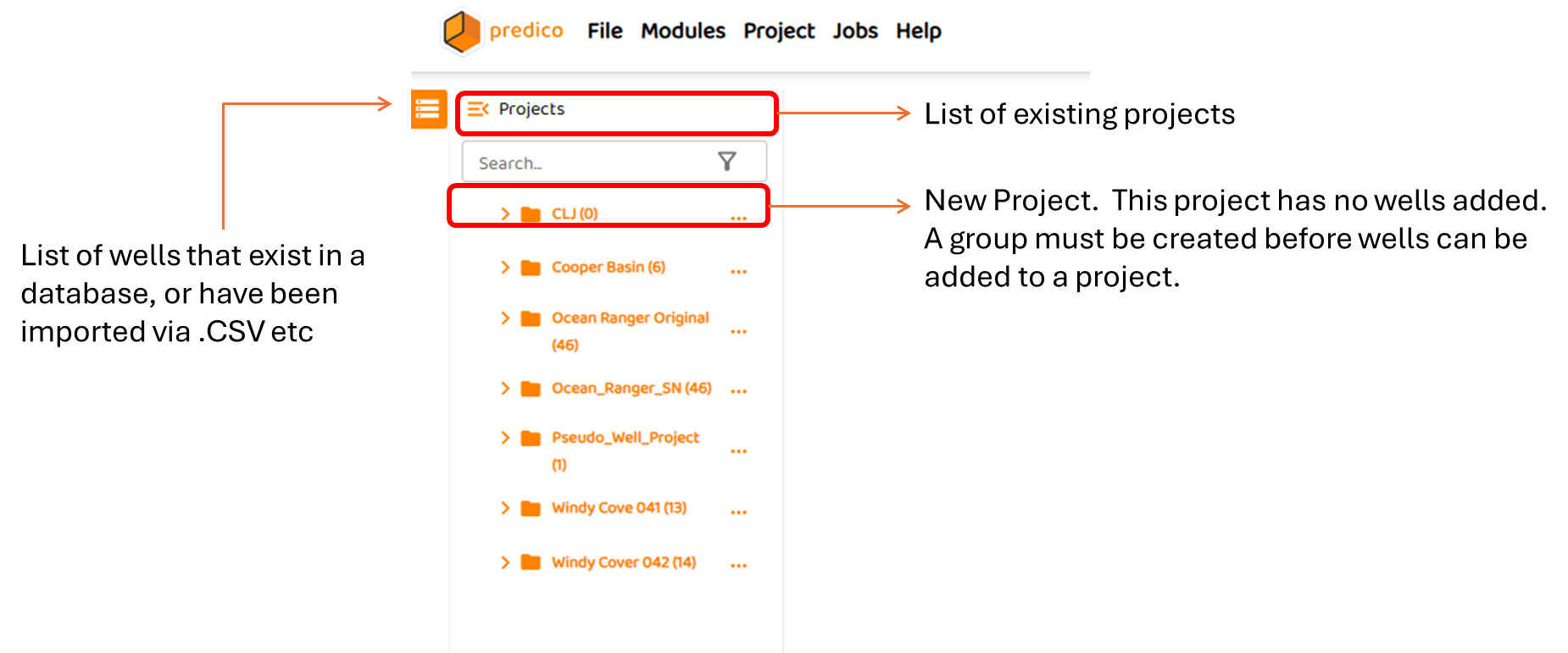
Note, without creating a group, a well cannot be added to a project.
See Also: