
-
There is only one physical well in a project, although it can exist with different groupings within a project.
-
If you want to different analyses for the same well, you must create two (2) projects. Refer to Creating a Project
ll types of analyses or simulation, you need to
-
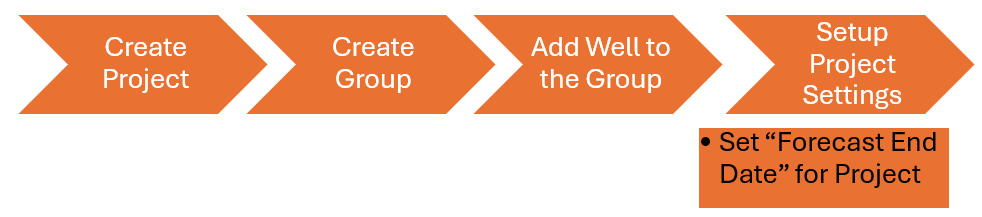
Setup Project Settings.
AFA requires at least 1 Project and 1 Group to perform any analyses or simulation
The user can delete a project by two (2) methods
-
Creating a group using Main Menu
-
Creating a group using the project settings
1. Adding a new Group Using “Project“ on the Main Menu
In this example, the user will create a new project called CLJ by:
-
Hovering the mouse of the project, and clicking the circle to highlight the project.
-
Selecting “Project“ the Main Menu and selecting “Rename Project
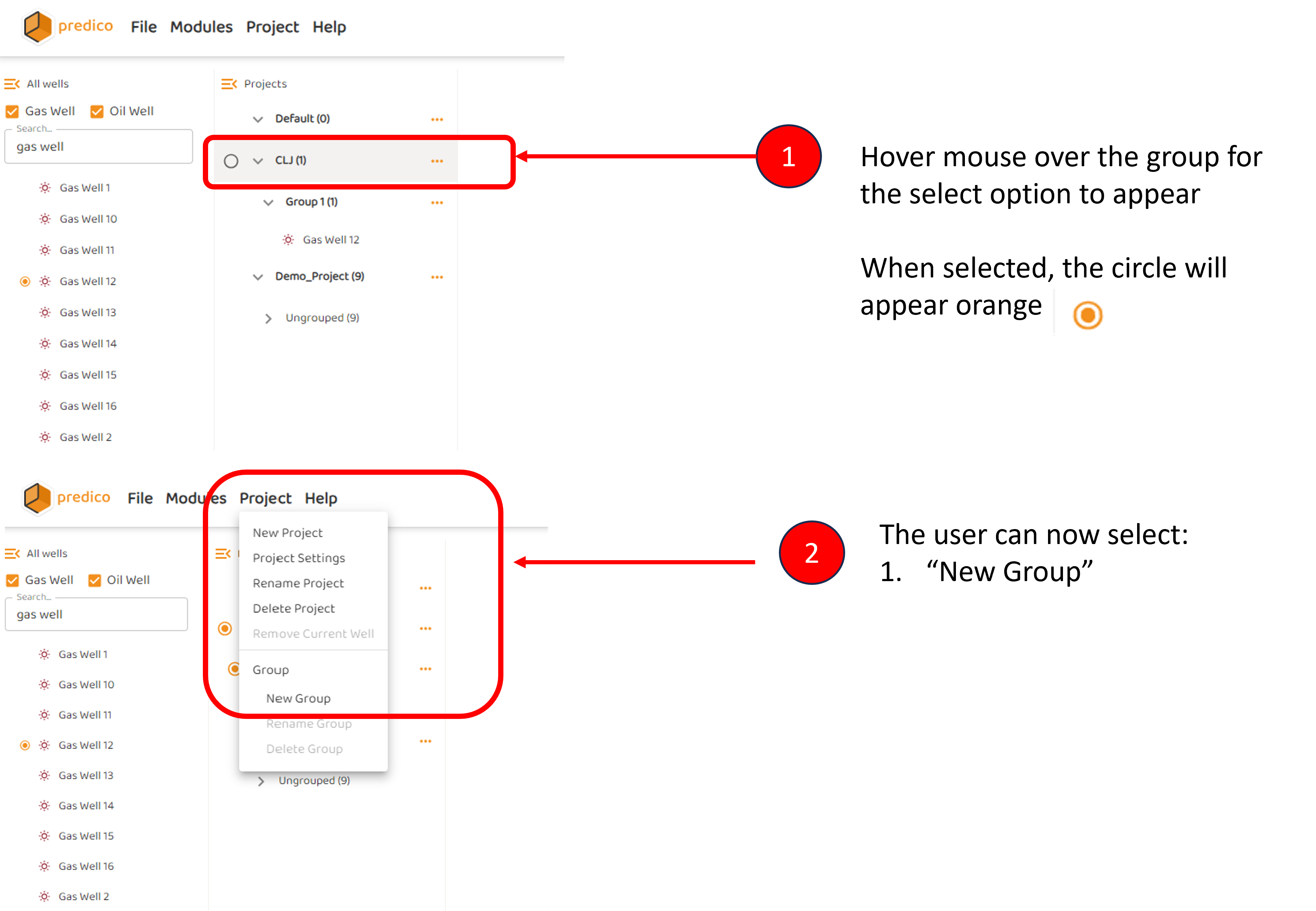
The user can now proceed to Adding Wells to a Group/Project
2. Adding a Group Clicking Three (3) dots of the Project Name
The user will be prompted to give a unique name and the group will be added to the current project. Of course, wells must be moved from Master List to the group before any work can commence.
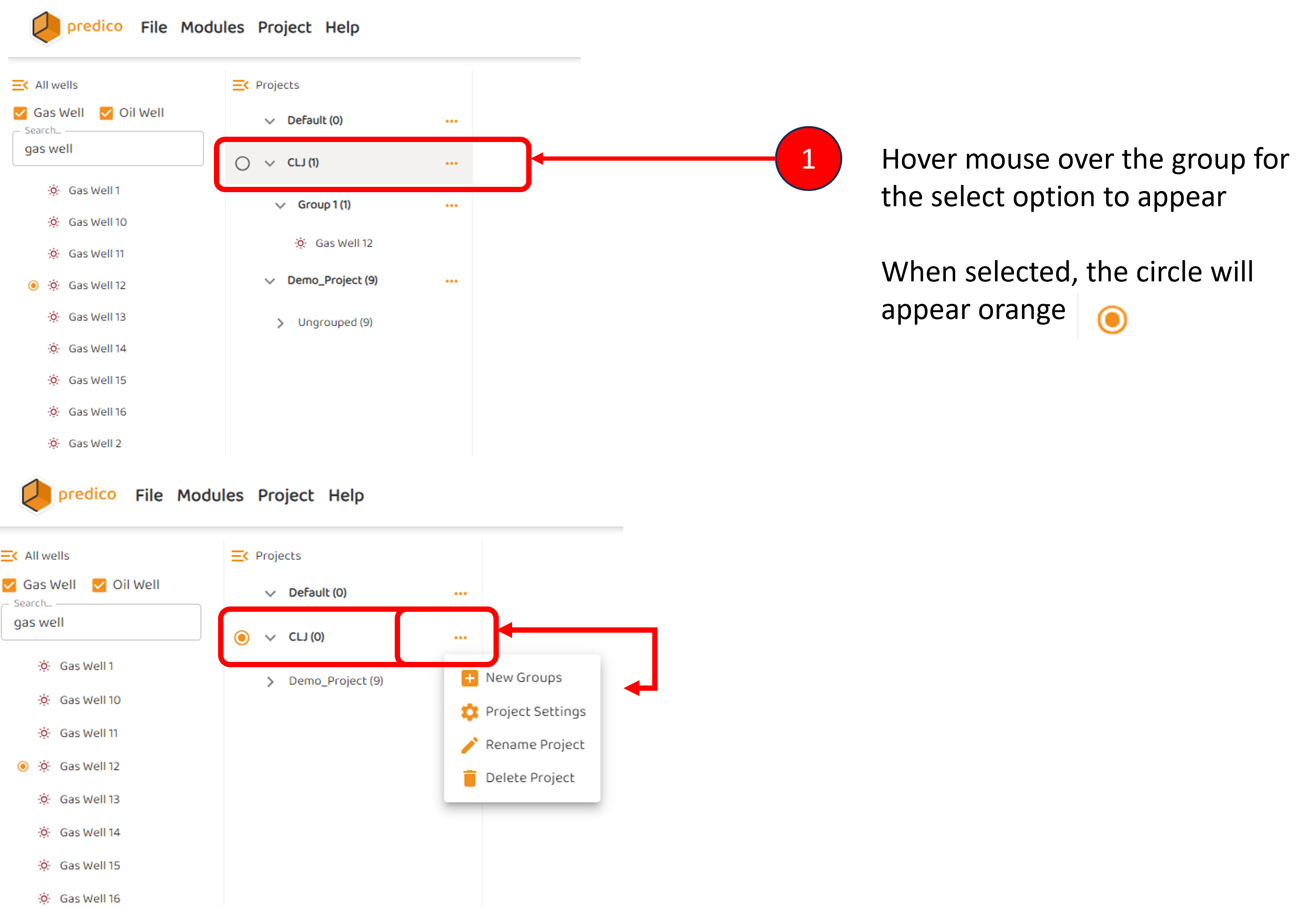
The user can then proceed to Adding Wells to a Group/Project and/or Set Forecast End Date