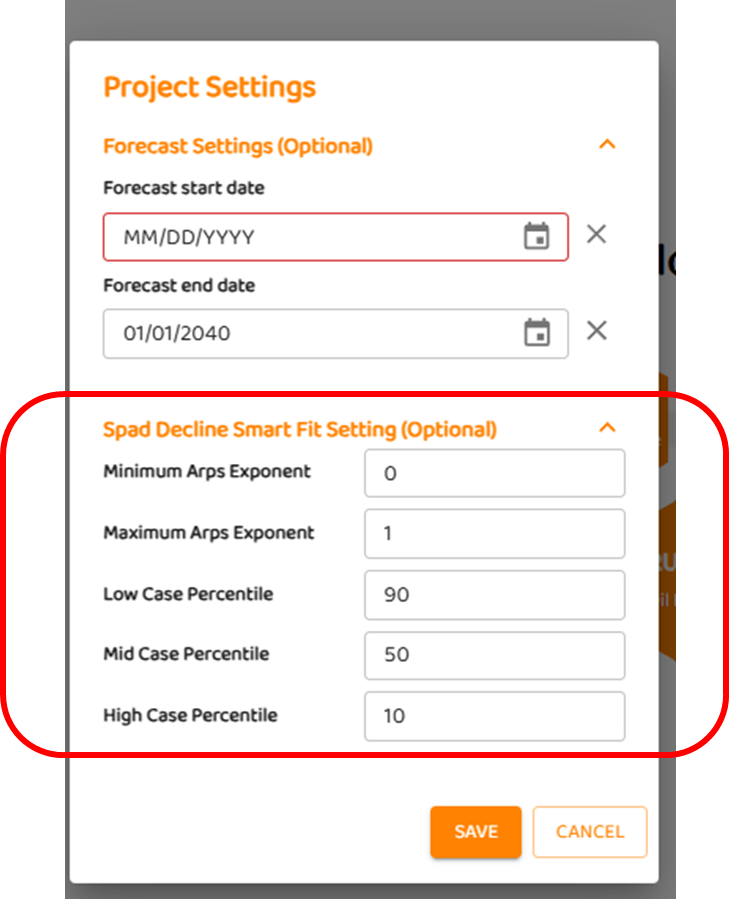
To set limitations on the decline parameters for the automated data science,
-
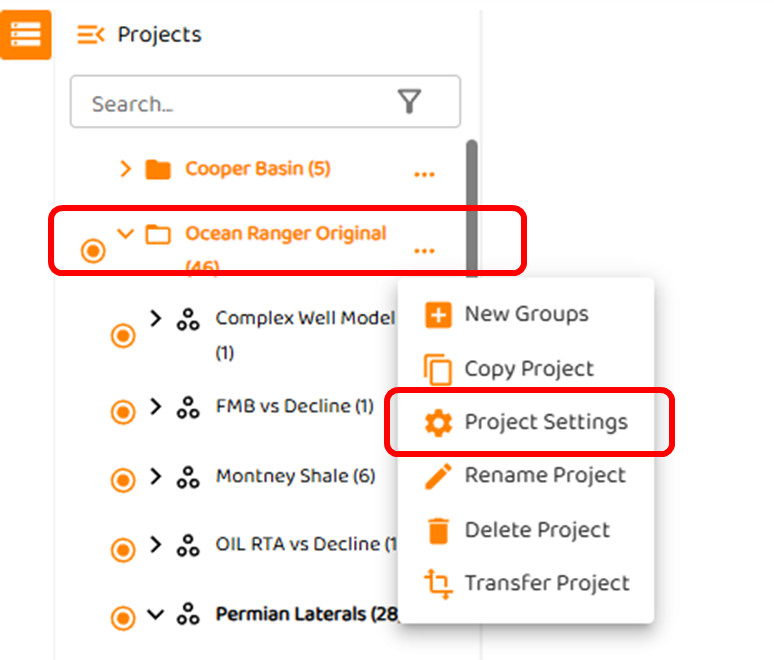
right click the three (3) dots to the right of the project as shown below.
-
Select “Project Settings”
-
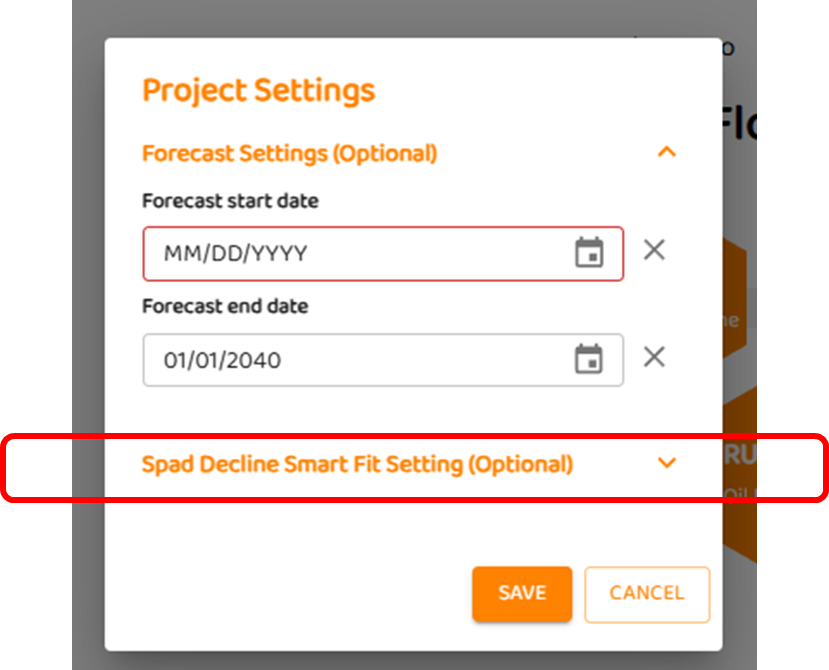
In “Project Settings”, select “Spad Decline Smart Fit Settings (Optional)“.
-
As shown below, the user can customize data science settings, this will include
-
Arps decline values
-
Percentiles for sensitivity analysis. By default the percentiles for any analysis for forecast is 10, 50, and 90.
-