Introduction
A well can be removed from any project or group using
-
the Project Menu
-
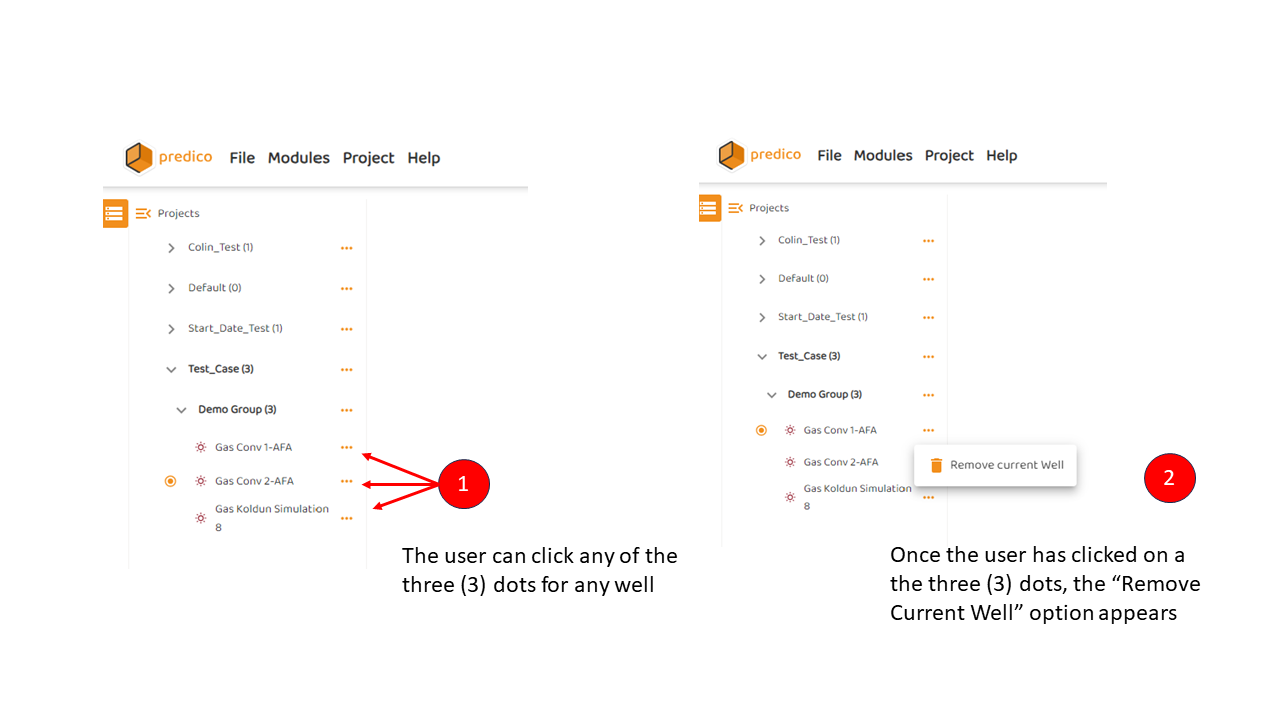
the three (3) dots beside the well name.
You cannot remove a well from the Master Well List
Option 1: Removing a Well Using the Project Menu
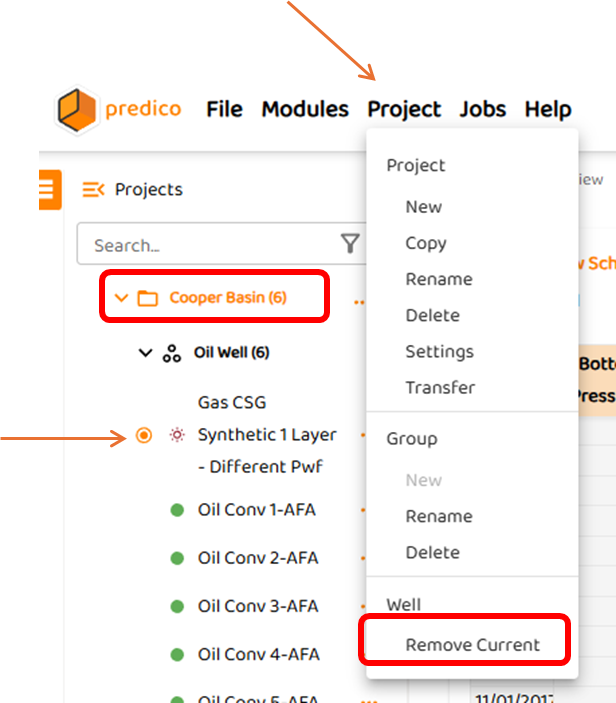
In this example, we will remove a well from the “Cooper Basin“ Project.
-
Select the well of interest within the group. In this example, The well to be removed will be “Synthetic 1 Layer - Different Pwf“.
-
Select “Project“ from the Main Menu and select “Remove Current Well“
-
The well remains in the Master Well List, but is removed from the project.
-
Option 2: Removing a Well Using the Three (3) Dots
To remove a well from any project or group, simply
-
Click on any of the three (3) dots beside a well name
-
Click the “Remove Current Well” box.
-