
Introduction
Please note, a well cannot be added to a Project, without:
-
Once a well has been added to a group, the user may proceed to Navigating & Selecting Modules and related analyses.
To add a well to an existing project, the user must
-
Select the Group/SubGroup within a project.
-
Use the mouse to drag a well into a group
-
When the well has been moved into a group, it will be shown under the group of interest
In the example below, Gas Well 12 has been moved to Group 1 in Project CLJ.
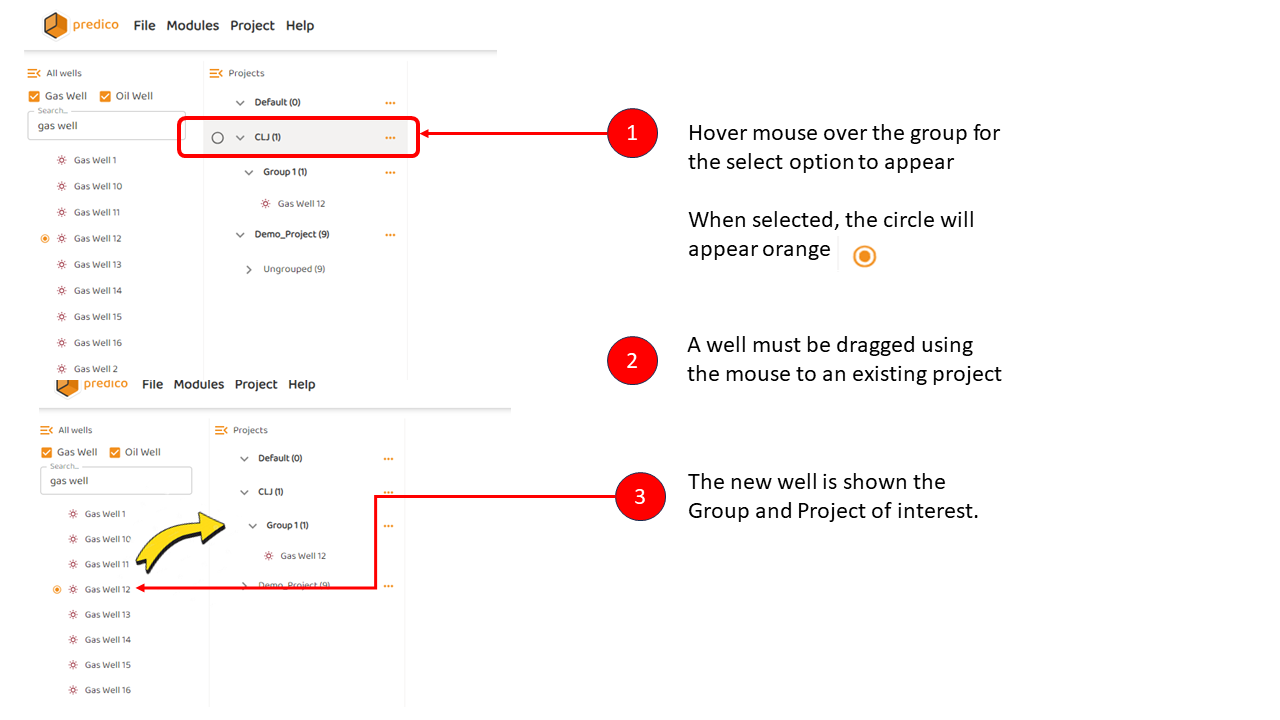
Note: Any well in the master list can be moved to any number of projects.