
Introduction
The P/z module performs static material balance.
AFA requires at least 1 Project and 1 Group to perform any analyses or simulation. Please refer to Create a Project and sub-topics if required.
STEP 1: Select GAZ Static P/z
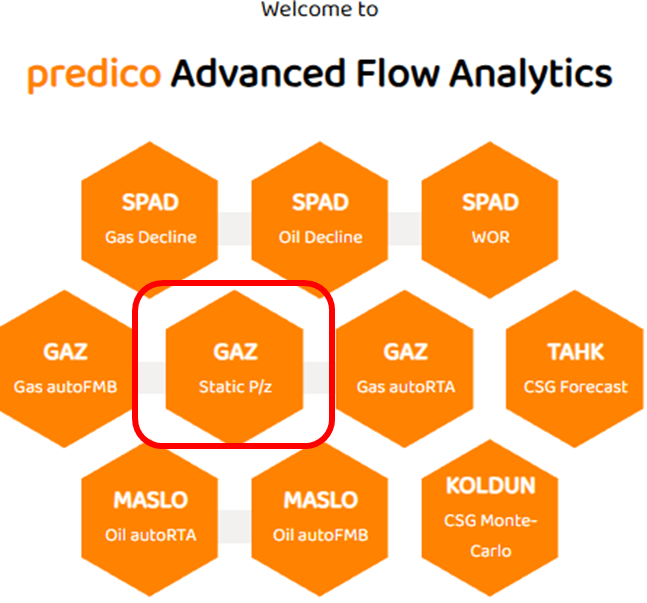
Select the GAZ Static P/z module as shown below:
STEP 2: Select “Input Grid“
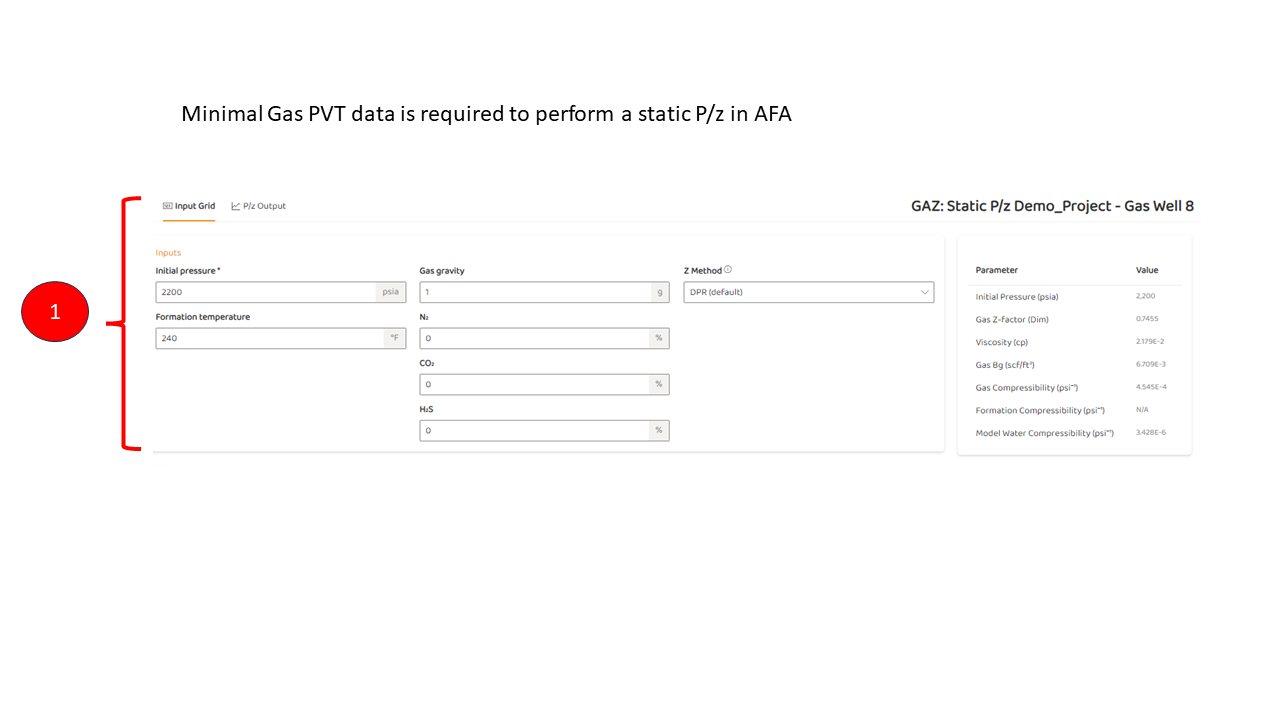
The input grid shows the primary variables used to calculate a Static P/z. Basic gas data andGas PVT Correlations are selected in this view. The basics are:
-
Gas impurities such as N2, CO2, and H2S.
-
Selection of the Gas Deviation Factor
STEP 3: “P/z Output“ Tab
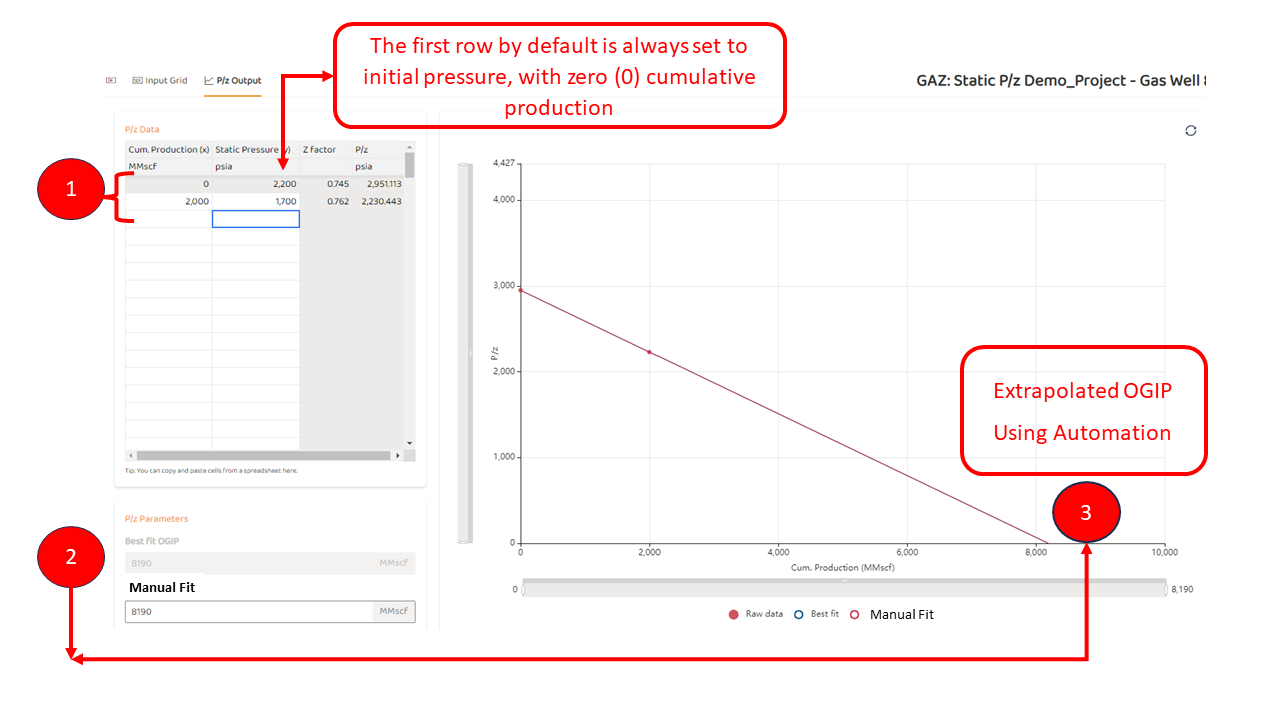
In the image below, the steps are:
-
Enter newly obtained static pressures, and associated gas production in the table.
-
As data is entered, an automated line is generated providing a “Best Fit OGIP“
-
The “Best Fit OGIP“ is also shown in the plot.
The “Best Fit OGIP“ cannot be adjusted. It is determined by regression methods. If a user wants a custom (or manual OGIP), proceed to STEP below.
STEP 4: Perform a Manual OGIP (Optional)
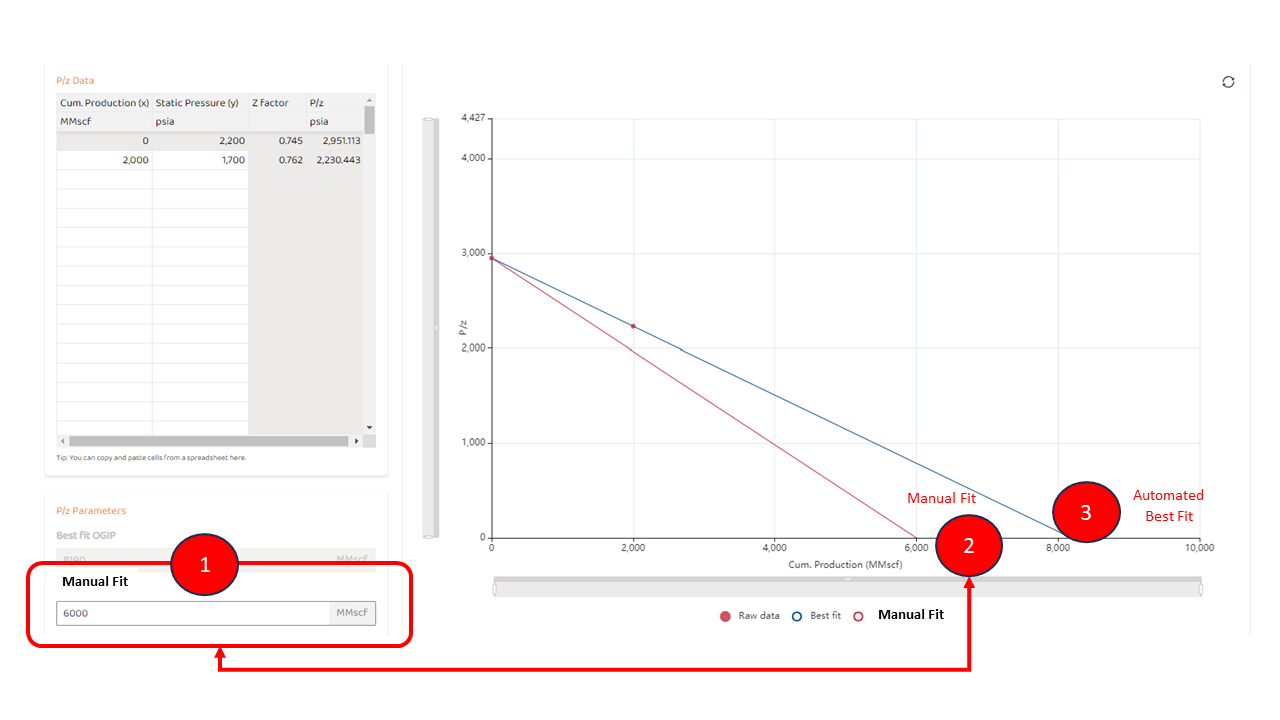
If the analyst would like to manually adjust the line, they can simply type a new OGIP in the “Manual Fit” box shown below. To perform a manual fit:
-
Manually enter a numerical value into the “Manual Fit“ box (in this example, a value of 6,000 MMscf, or 6 Bcf)
-
Observe a new line is shown on the graph representing the manual fit
-
Note, that the automated best fit line still exists.
See Also: