Note, the user must Set Forecast End Date before the forecast is displayed. If not set, then only the history match can be observed.
Introduction
This feature applies to both oil and gas wells, as well as Flowing Material Balance modules.
The forecast table allows the user to change operating conditions during a forecast. For instance, the user can specify
-
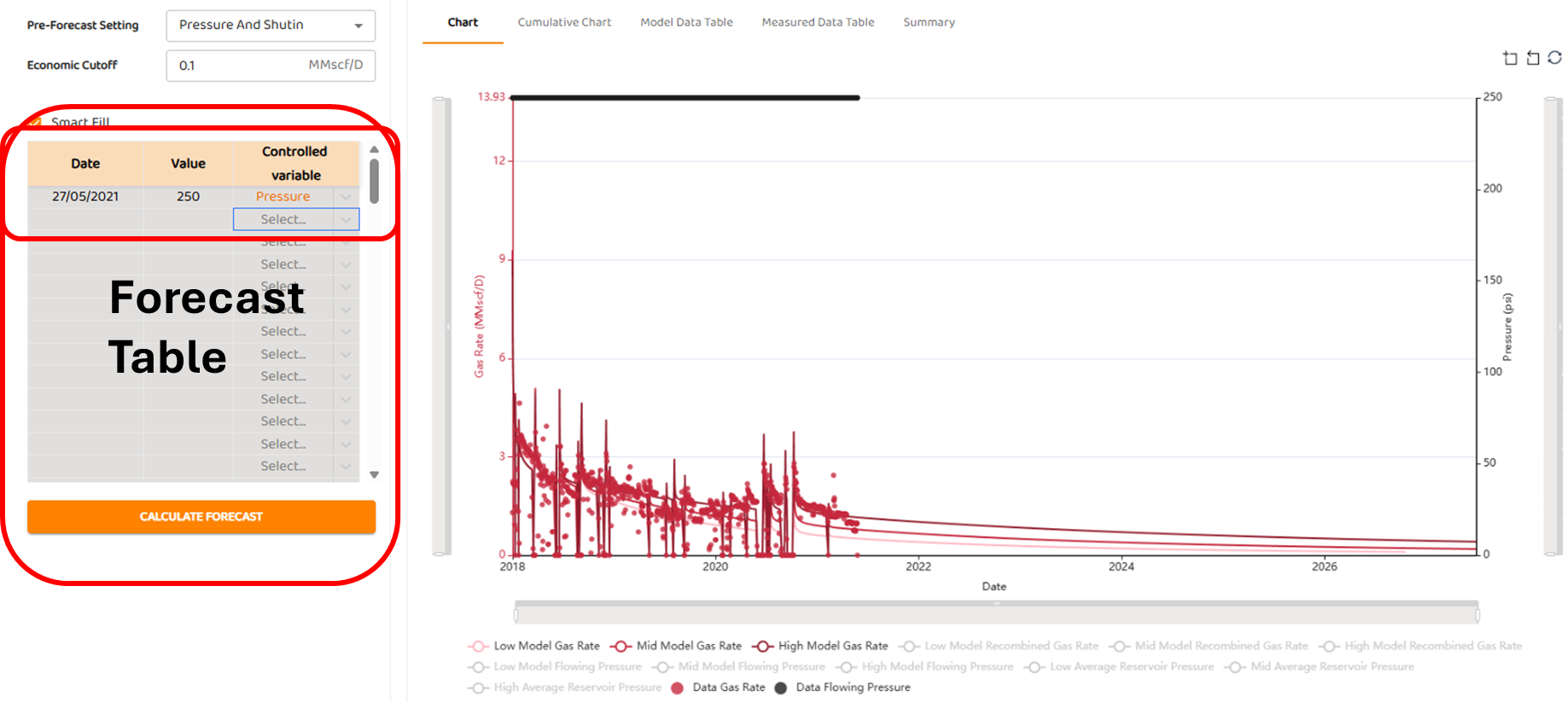
Anchor to pressure (controlled variable), and forecast a rate. The default is to use the last known pressure as shown below. In this last example, the pressure is low at 250 psia.
-
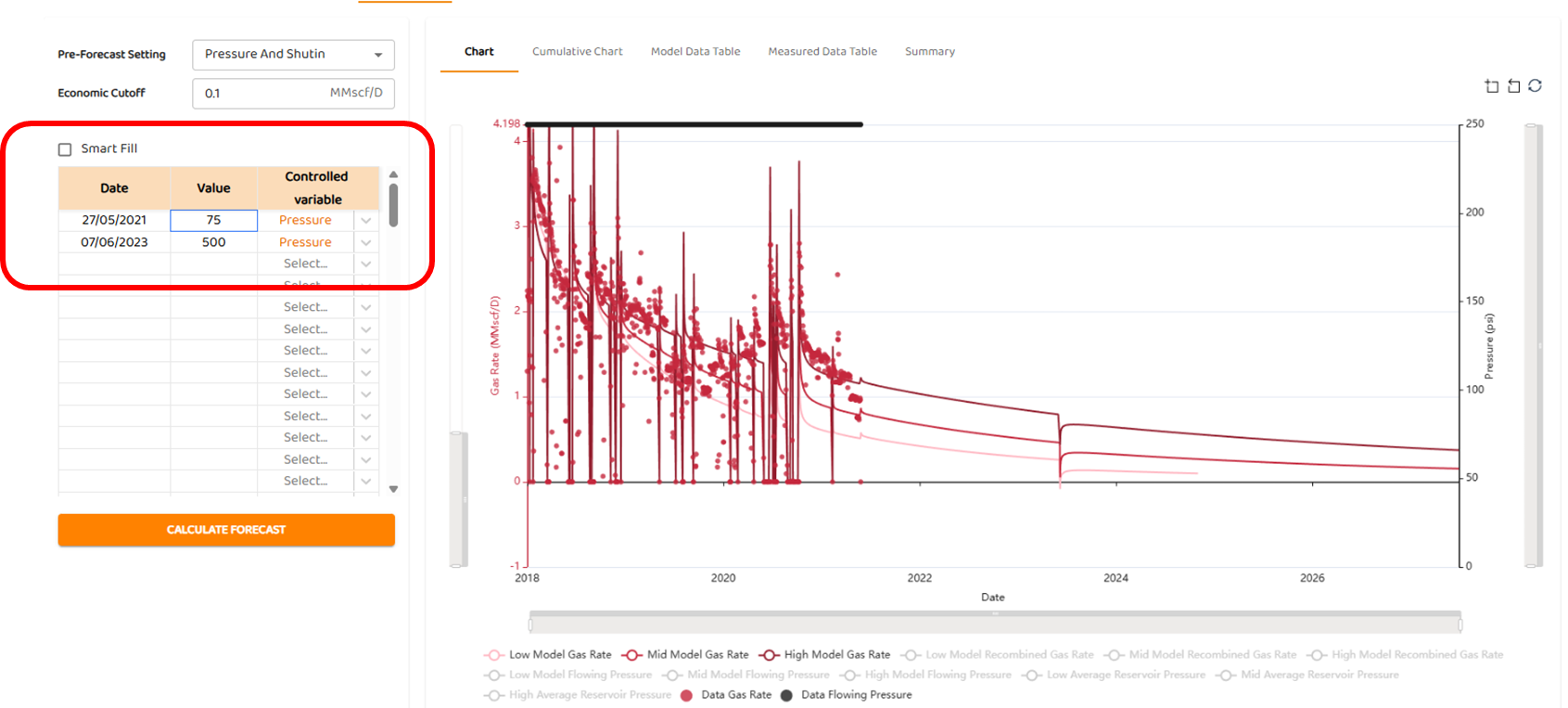
Manually type in a new back-pressure, or series of new back-pressures as the anchor (controlled variable) as shown below. The user must type in Date values for any new or future operational changes. To use this feature “Smart Fill“ must be disabled.
-
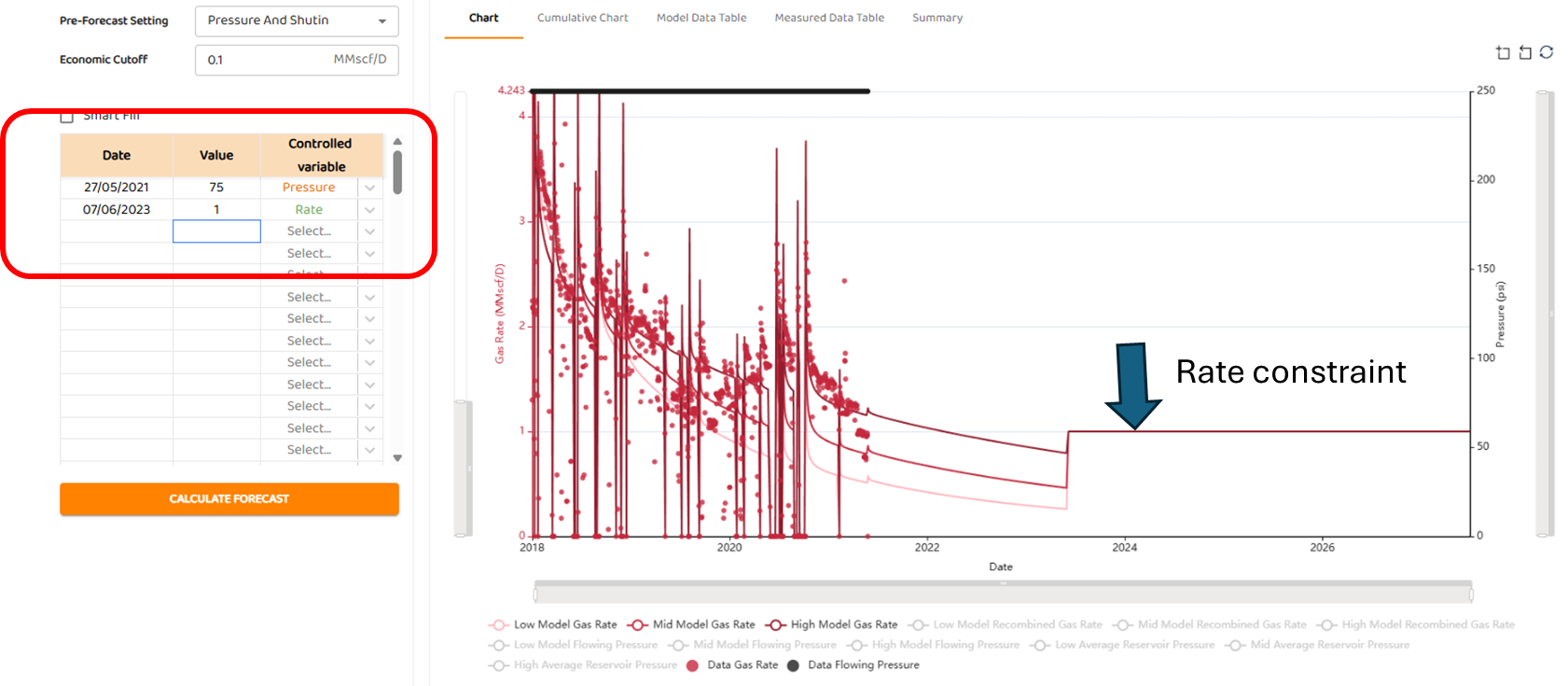
Use a combination of pressure and rate anchors (controlled variable) as shown below. In this example, the user has used a pressure anchor of 75 psia, and a rate anchor of 1 MMscfd in mid-2026. Again, the user must type in Date Values for any new or future operational changes, and “Smart Fill“ must be disabled.