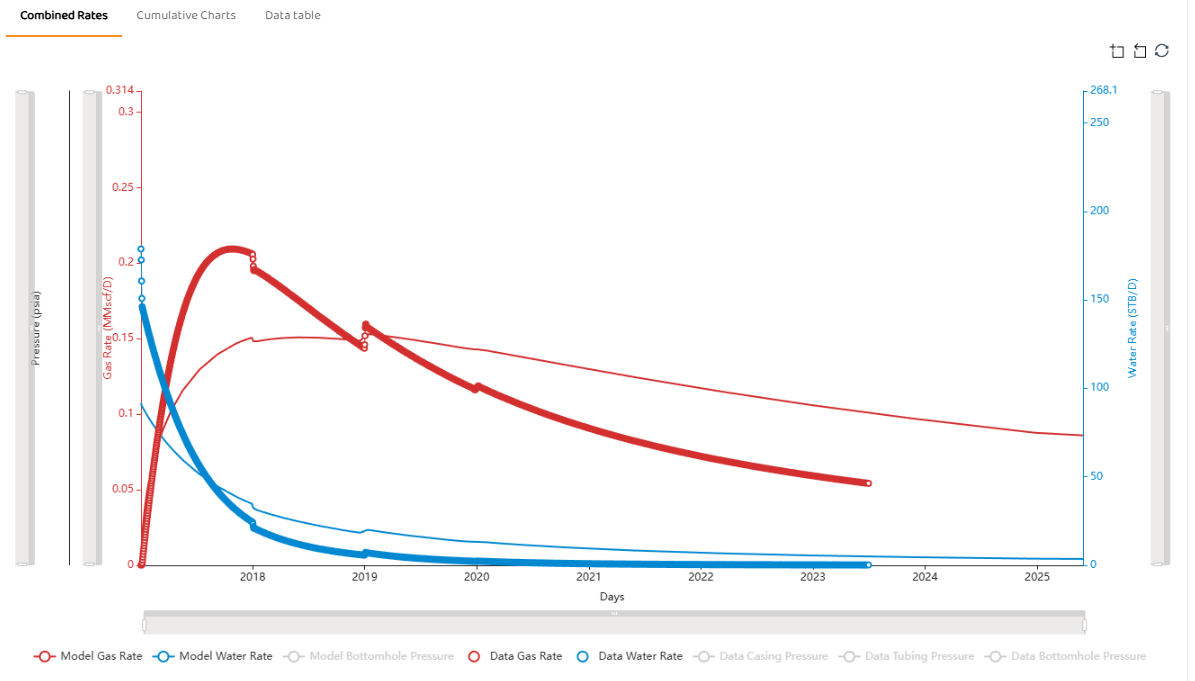
Generally speaking, all modules need a “Forecast End Date“ (there are a few exceptions). This is critical for modules in which you prefer to generate a forecast beyond an analysis and/or history match (HM)
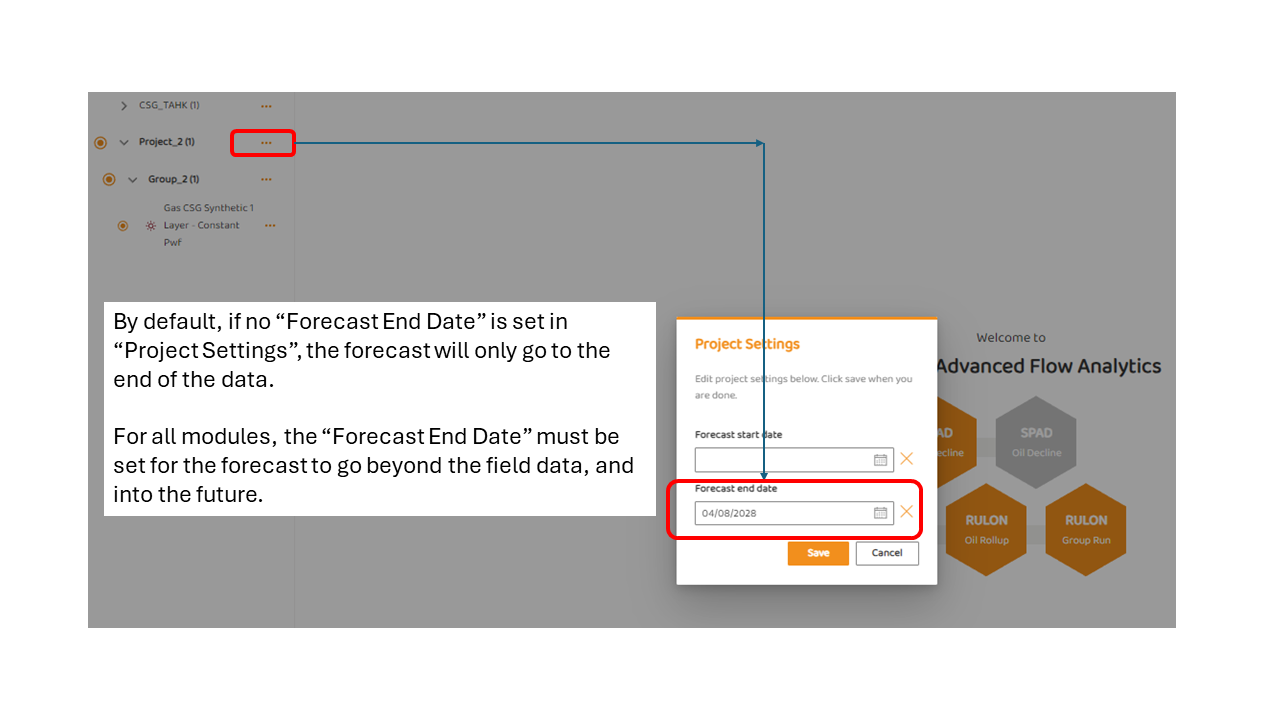
“Forecast End Date” is set in the Project Settings as shown in the image below. It is the same value for all groups within a specific project.
In the image below, the “Forecast End Date“ for Project_2 is being set to 04/08/2028. Regardless of the module or type of analyses in the project or group, they will all use the same “Forecast End Date“. If there were 10 wells in Group_2, all 10 wells would have the same project forecast date.
Example: No Forecast End Date
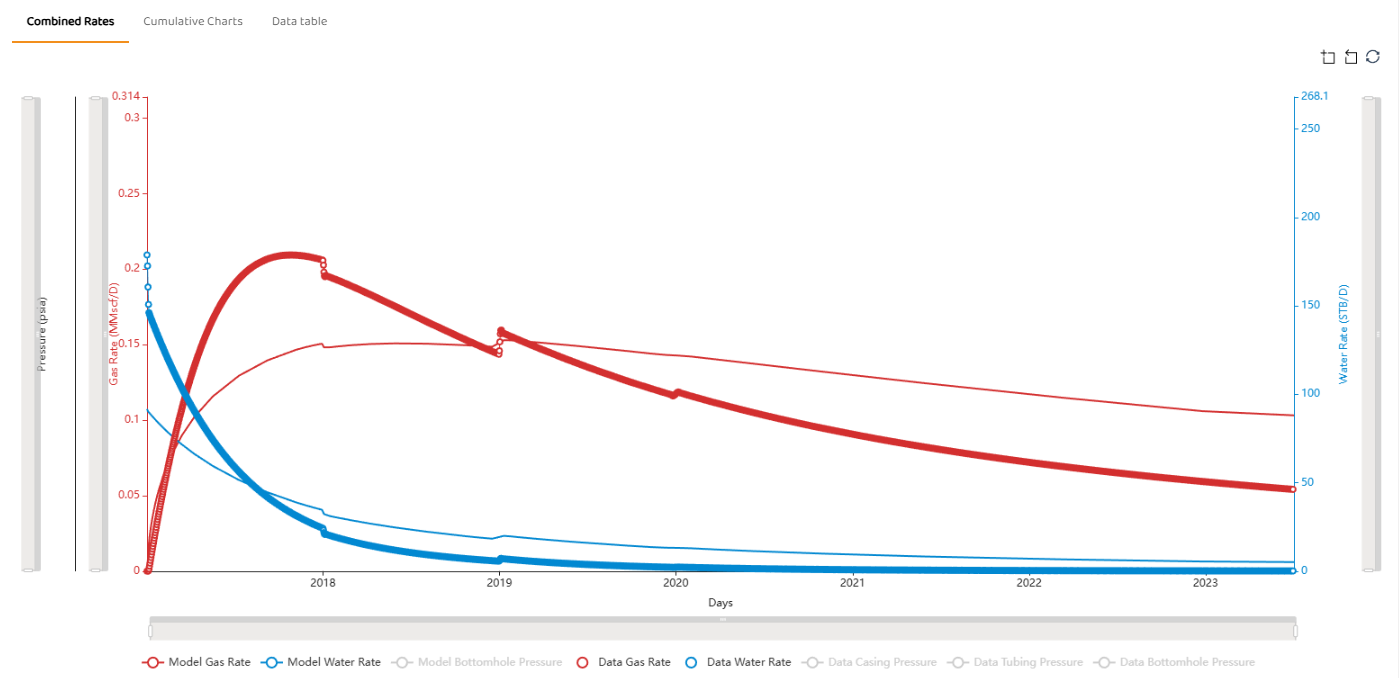
As shown below using the TAHK: Coal Seam Gas (PSS) Forecast module, a Forecast End Data was not set, and the model does not continue past the data.
Example: Using Forecast End Date
In the example, the Forecast End Date was set to mid 2025, allowing the model to show projected values past the field data.