
Introduction
Users can transfer ownership of projects to another user in the organization.
Note a “Transfer Project” removes the project from the current user. That is, the current user will no longer have access.
If the user prefers to keep a copy, they must make a copy of the project first. Refer to Copy a Project
The user can transfer a project by two (2) methods
-
Transfer a project using Main Menu
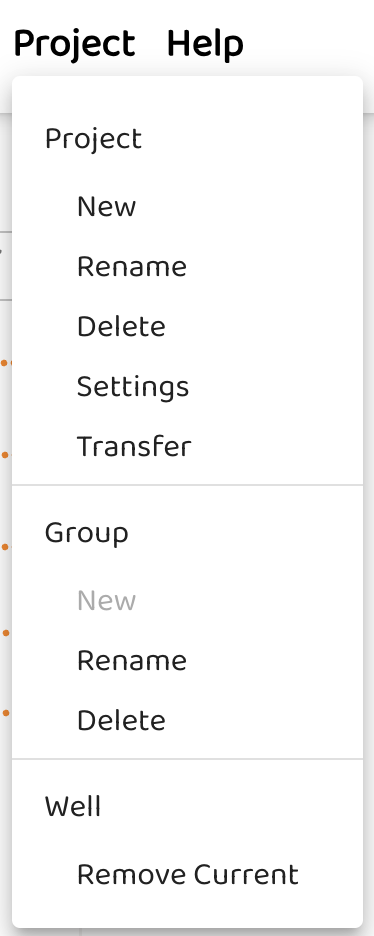
-
Transfer a project by selecting …
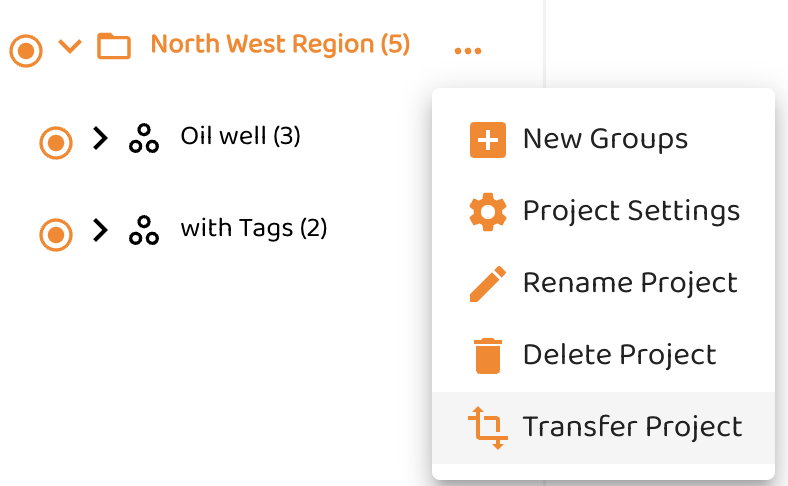
In your Profile you can see the Transfer in Progress

Project Transfer Acknowledgement
The transferor is the user that is transferring ownership of the project to another user, known as the transferee
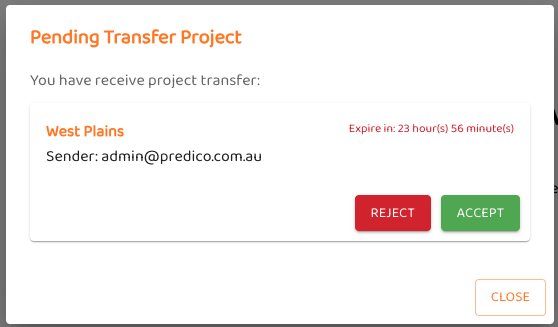
-
The transferee receives a notification of the transfer and can either accept or reject the project.
-
The transferor can cancel project transfer within 24 hours
-
If the transferee takes no action within 24 hours, the transfer expires, and the project ownership reverts to the transferor.
NOTE: You can only transfer a project to your colleagues in the same tenancy.