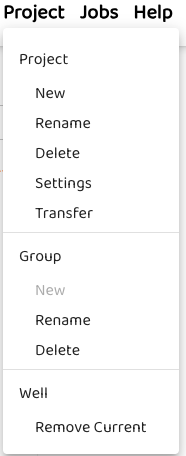
The project menu allows users to create, delete, rename, transfer or apply settings to a projects.
Projects are where users can add/delete projects and their sub-groups, and wells within a group.
All types of analyses, or simulation need BOTH a PROJECT and a GROUP before any work can be done.
Before any analysis can be performed, a user must follow the suggested workflow: