Introduction
To set the forecast date for any project,
-
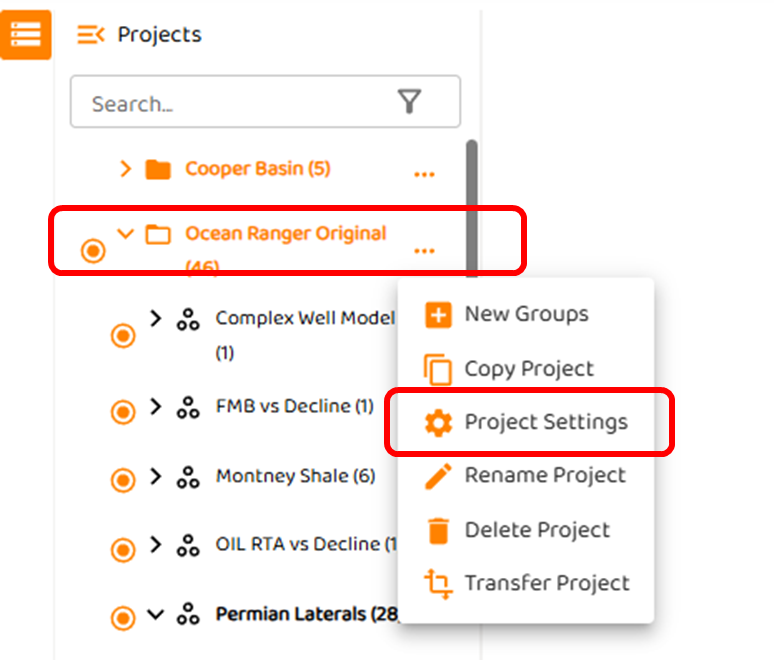
right click the three (3) dots to the right of the project as shown below.
-
Select “Project Settings”
-
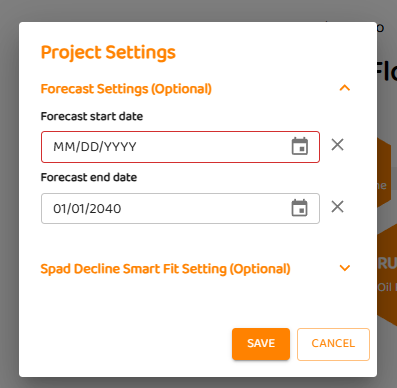
You will see dialog box with options for:
-
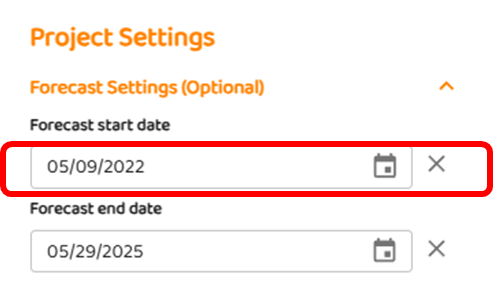
The Forecast start date (default is last day of production for each well).
-
The Forecast start date is optional, but can be set to any value pre/post raw field data.
-
Enter a value and click “Save”
-
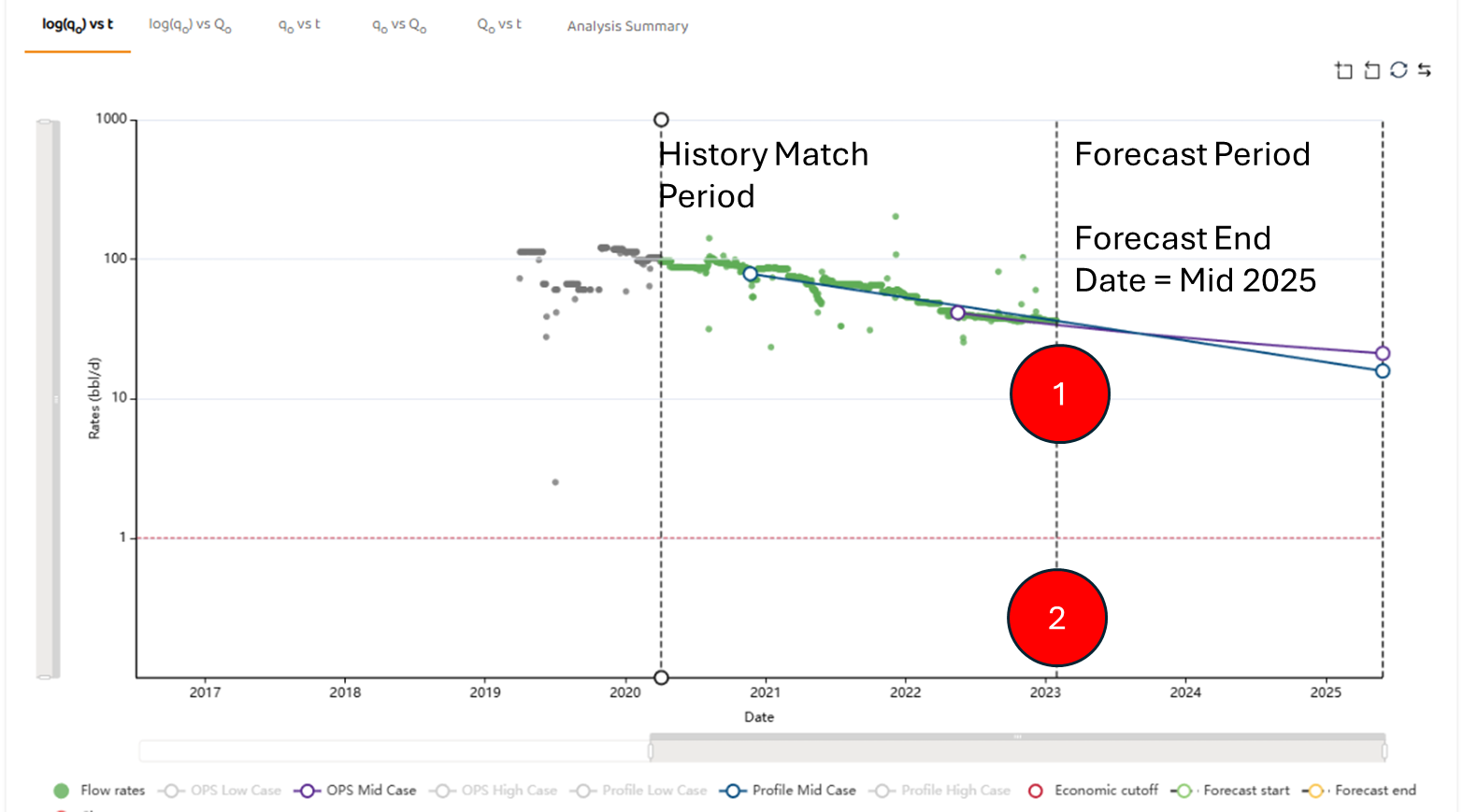
Example 1: No Forecast Start Date
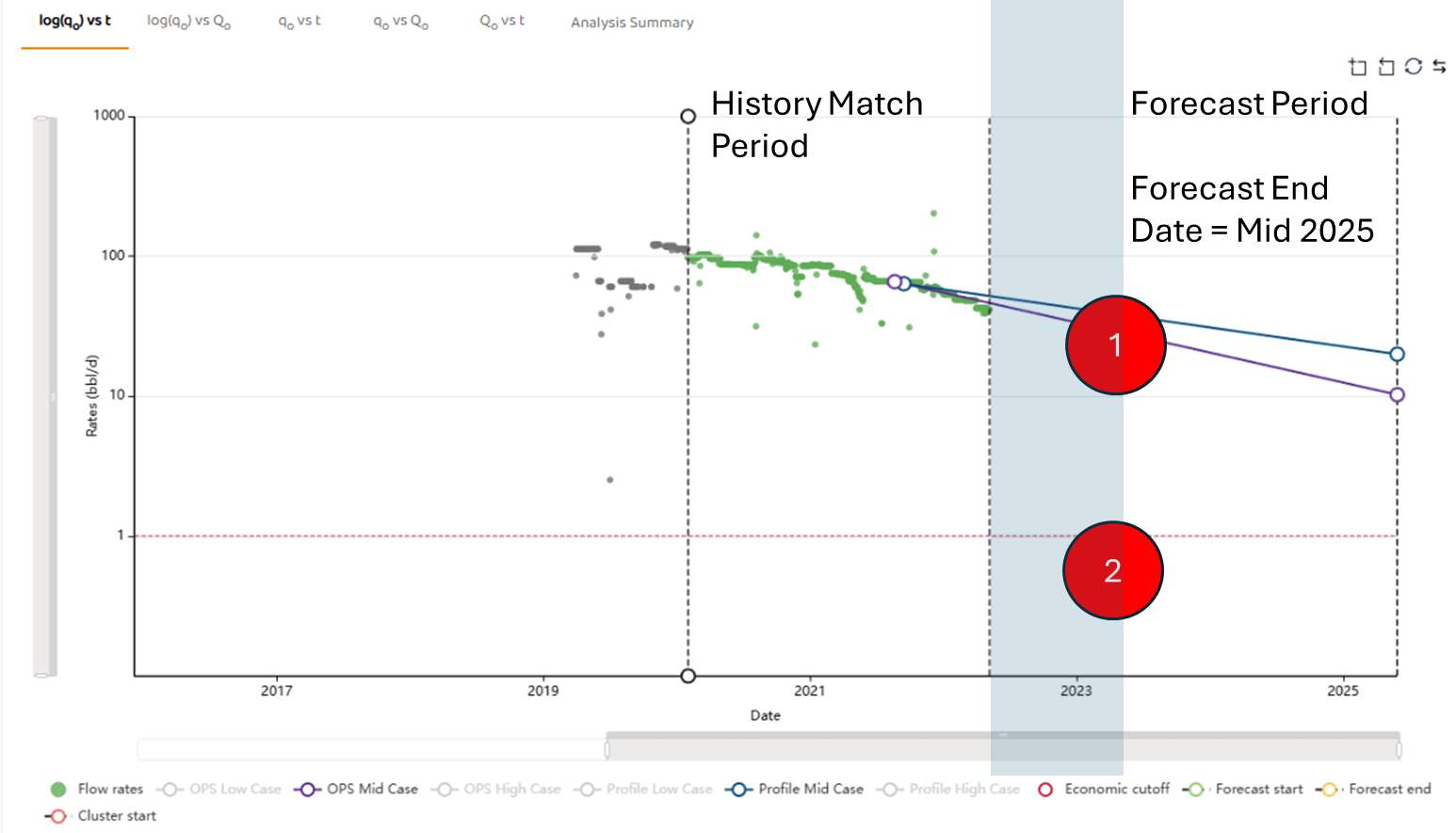
In the example below, the decline model forecast starts immediately at the end of the data in very early 2023.
Example 2: Using Forecast Start Date
In the example below, the Forecast Start Data has been set to May 29, 2022. As a result, several months of the data have been removed and the forecast starts mid 2022.
Items 1) and 2) show the previous location and forecast start.